
Why it works as a gift
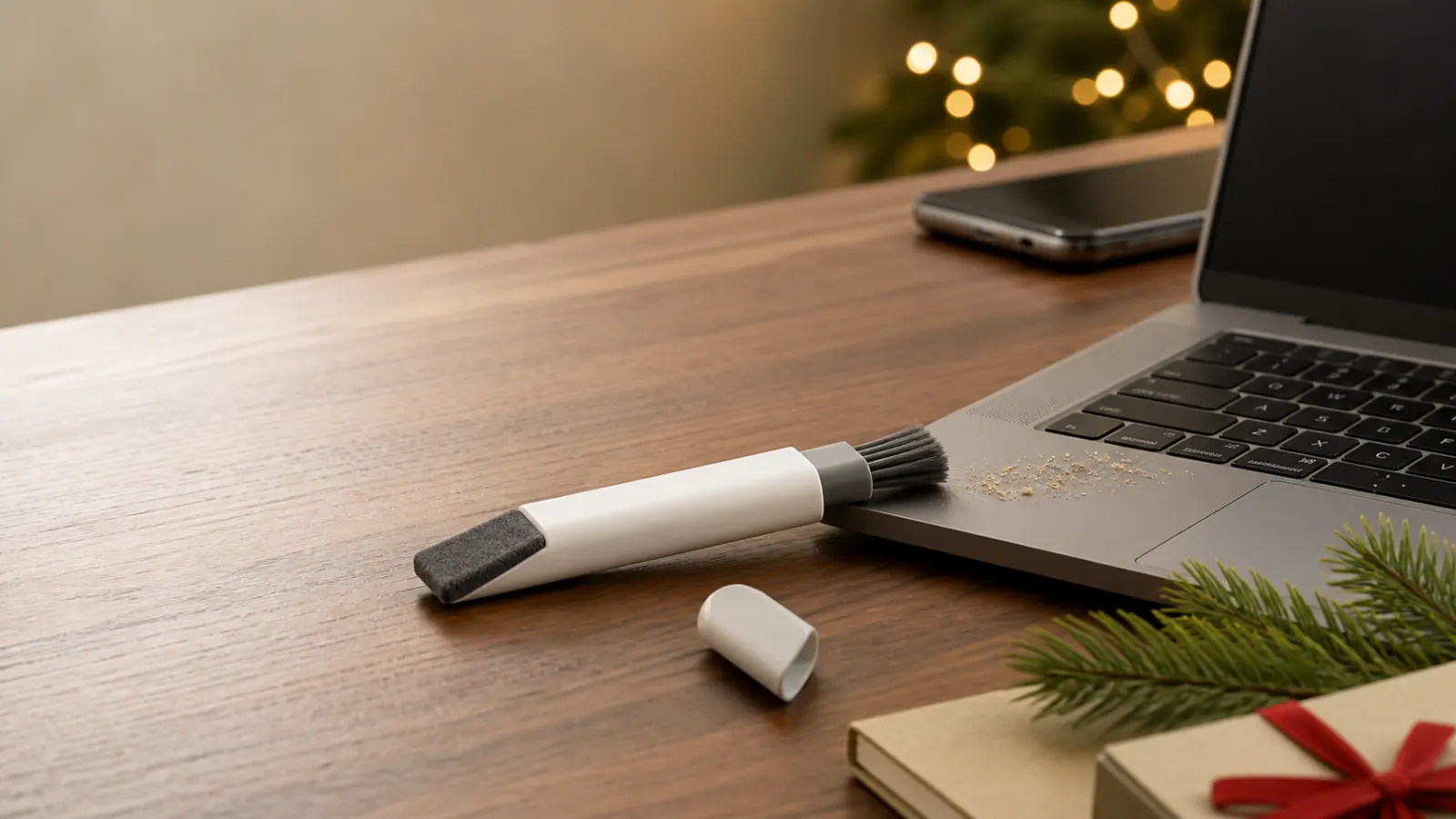
Most laptop mess is embarrassingly ordinary: toast dust beside the trackpad, lint around the keys and fingerprints glowing on a dark screen. This tool gives each kind of debris a dedicated end without adding a spray bottle to a laptop bag.
Slide out the brush for loose material, retract it before storage, then use the shaped microfiber pad for smudges and oils. The compact body and protective cap make the routine feel more considered than keeping a loose cloth in a desk drawer, which suits a coworker gift especially well.
Who should get it?
- Great for: hybrid workers who carry a laptop between home and office.
- Great for: students, tablet users and anyone with a crumb-prone keyboard.
- Great for: low-pressure coworker and Secret Santa gifts.
- Skip for: someone seeking a disinfectant, stain remover or full liquid-cleaning kit.
The verdict
Useful for daily dust, deliberately not a deep-clean kit
Sweep & Swipe is a neat little gift because its protected two-ended design makes dry maintenance easy to repeat. It will not dissolve stubborn residue, sanitize a device or safely fix a spill. Think of it as the everyday companion to occasional manufacturer-approved deeper cleaning, not a replacement for it.
Why it works
- ✓ Retractable soft brush targets loose keyboard debris
- ✓ Shaped microfiber pad reaches screen corners
- ✓ Cap and compact body protect both cleaning ends in storage
Tradeoffs
- × Dry pad may not remove dried or sticky residue
- × Small built-in microfiber surface needs periodic hand cleaning
As an Amazon Associate, XmasGoat earns from qualifying purchases. Choose Canada or the United States for local pricing.
Before you buy
- Match the single OXO Sweep & Swipe tool, commonly listed under manufacturer number 12246100G. Some listings bundle it with a separate detail brush and may show confusing extra pieces.
- OXO says it is intended for laptops, phones and tablets. Shut down and unplug the device, remove loose cables, and follow its manufacturer's cleaning instructions before touching a screen or keyboard.
- Use the brush for loose, dry crumbs and dust rather than pushing debris deeper into ports or mechanisms. Never force bristles under fragile keys or into connectors.
- The microfiber end is a dry pad, not a supplied cleaning solution. Do not pour or spray liquid onto the tool or device unless the device maker explicitly allows a particular method.
- Spot-clean the microfiber with warm water and mild soap, blot with a clean dry towel and air-dry. Rinse the bristles, reshape them and let them dry flat while extended.
- Let both ends dry completely before replacing the cap or retracting the brush. Trapped moisture and electronics are a poor combination.
Good to know
Does OXO Sweep & Swipe include screen-cleaning liquid?
No. It is a dry double-ended tool with a soft brush and microfiber pad. For stubborn marks, consult the device manufacturer's approved cleaning method rather than improvising with household chemicals.
Can it clean between laptop keys?
The soft retractable brush is designed to sweep loose dust and crumbs from keyboard crevices. Work gently on a powered-off device and avoid forcing debris or bristles beneath delicate key mechanisms.
How do you wash the built-in microfiber pad?
OXO directs users to spot-clean it with warm water and mild soap, blot away excess moisture with a clean dry towel and let it air-dry. Do not cap it while damp.
How is this different from the WHOOSH Screen Shine Duo?
Sweep & Swipe focuses on portable dry maintenance with a keyboard brush and fixed microfiber pad. The separate WHOOSH guide covers a liquid screen-cleaning kit with bottles and cloths for a different cleaning decision.
As an Amazon Associate, XmasGoat earns from qualifying purchases. Prices, sellers and availability can change. Choose Canada or the United States for local pricing.